Try for free
Virtual staging

Furnish an empty room in a photograph

Upload your photograph and create a possible furniture arrangement. Start with one room, compare the result with the original and choose a visualization that fits your task.

Furnish an empty room in a photograph. AI visualization
Furnish an empty room in a photograph. Original photo
Original photo
AI visualization

Three tasks in demonstration photographs

Furnishing an empty room, styling an existing interior and changing finishes produce different results. These Progon demo pairs show visible changes and what to check.

1. Furniture in an empty room

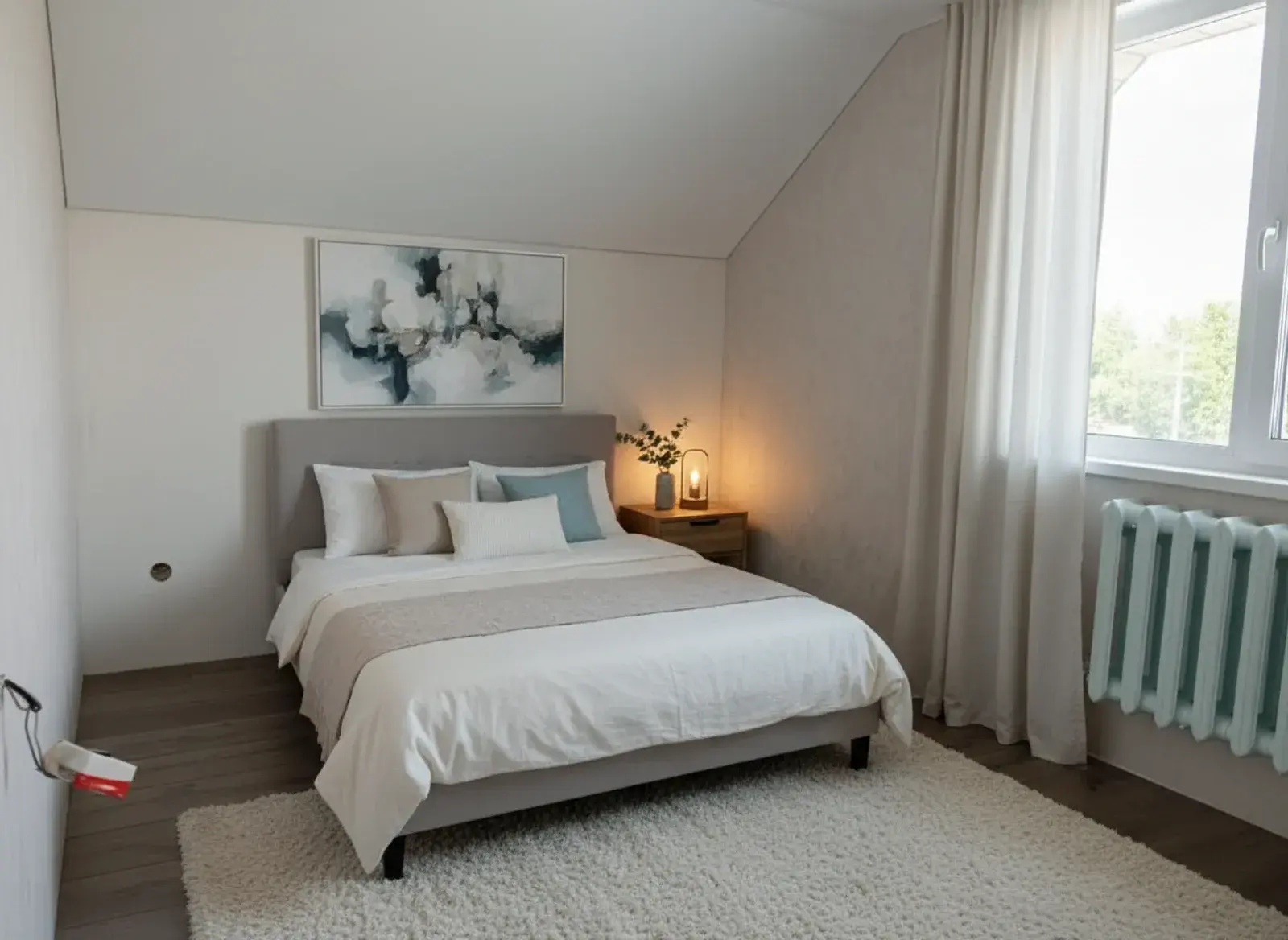
A bed, side table, rug, curtains and decor were added under the sloping ceiling. The result illustrates a possible sleeping area.
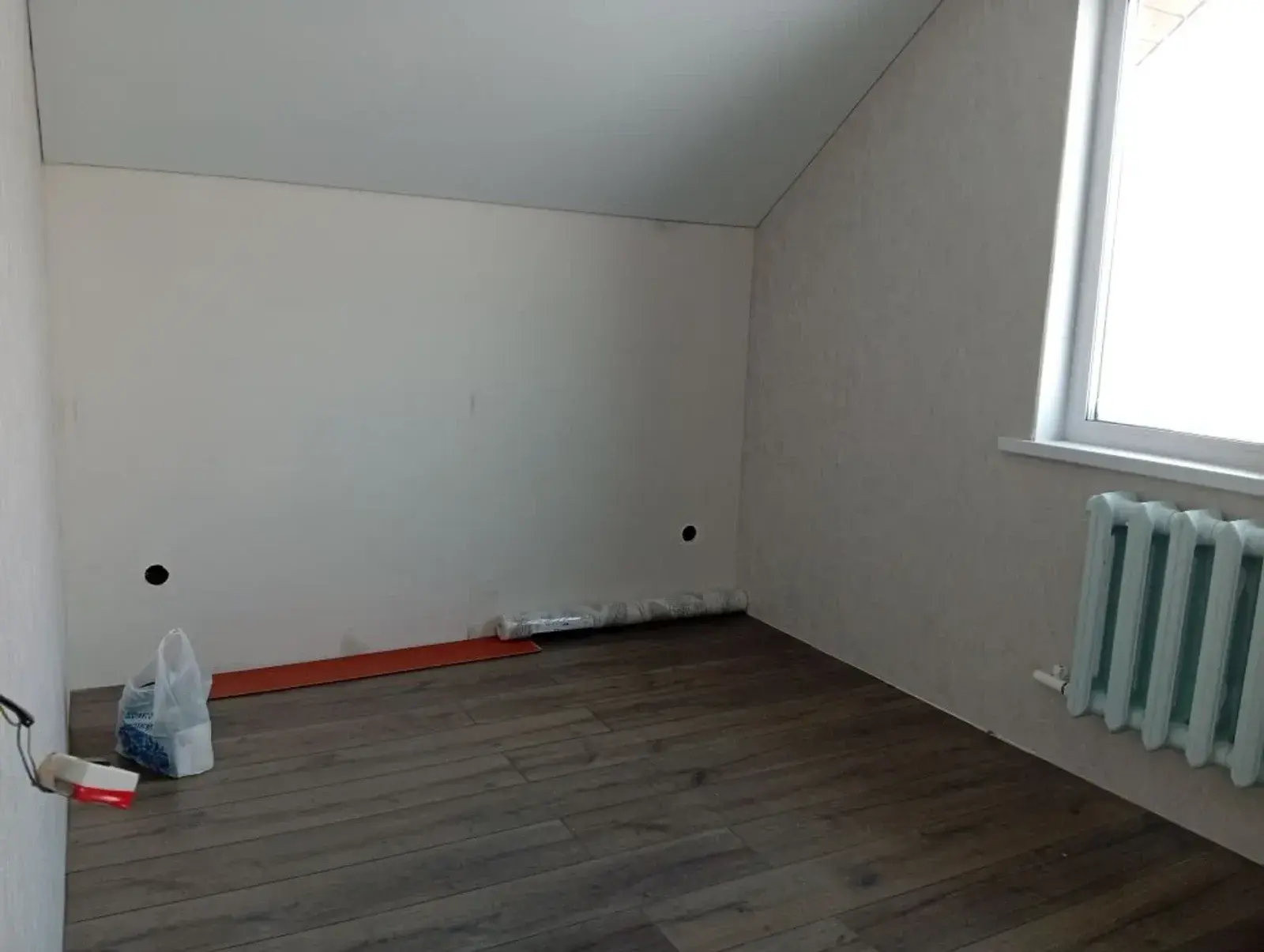
Empty room under a sloping ceiling with a window, radiator and open floor space
Original photograph
Visualization of the room with a bed, side table, rug and curtains
Demonstration visualization

Check: Verify walking space and bed dimensions against measurements. The result shows trees outside that cannot be confirmed from the original; check the accuracy of the view separately.
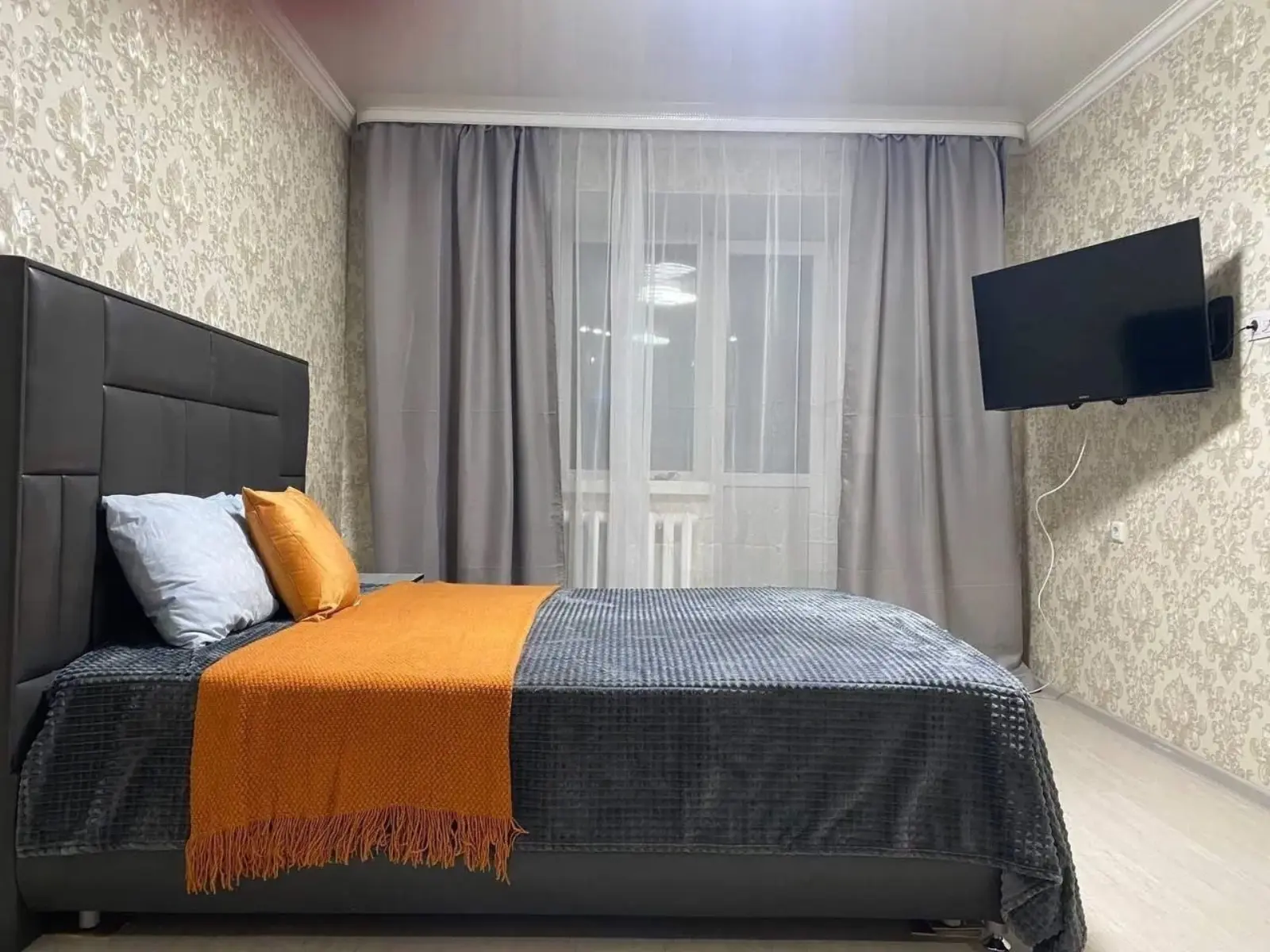
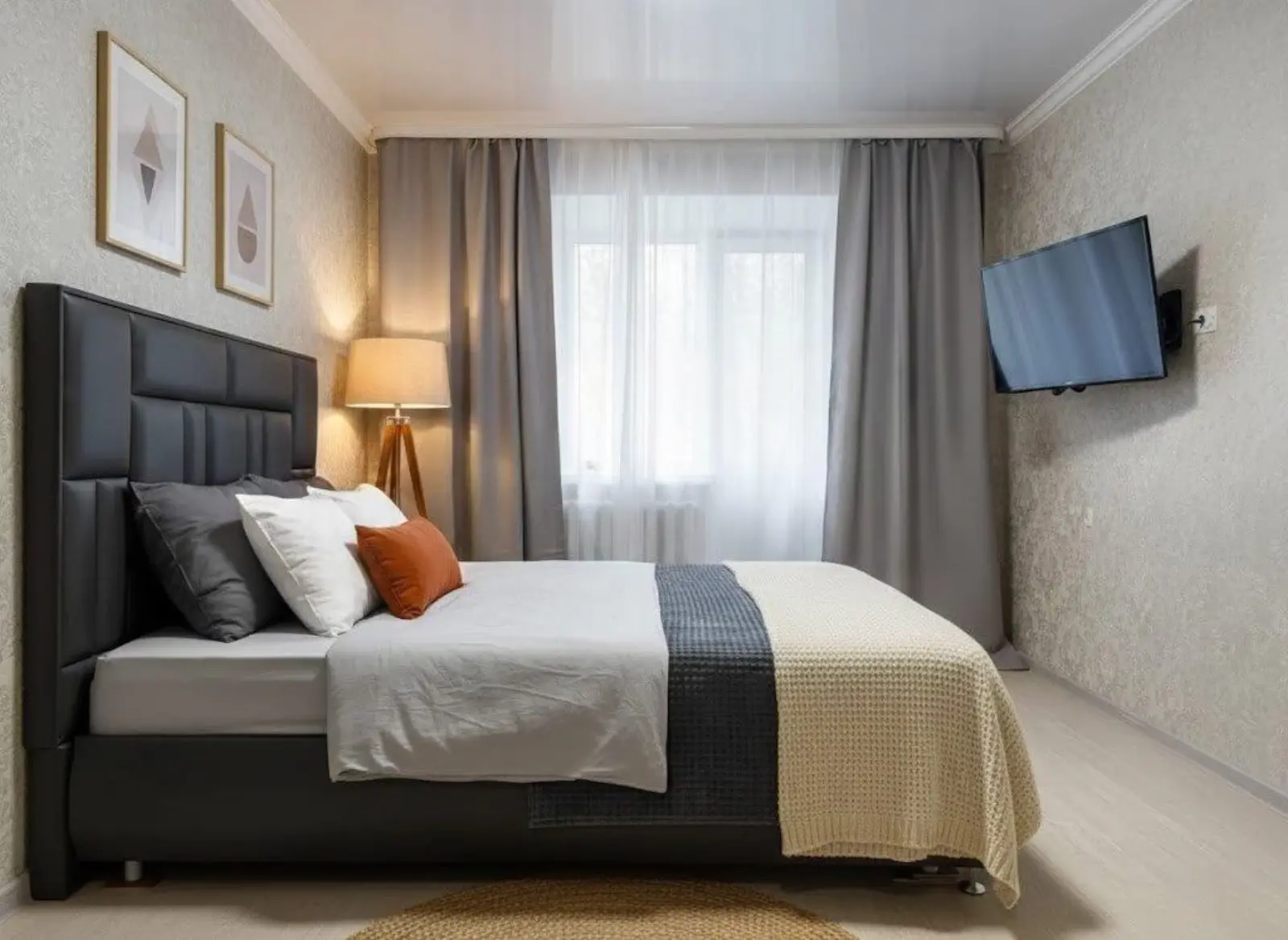
2. Styling a furnished bedroom

The bed and television were already present. Textiles and lighting changed, and a floor lamp and pictures were added. This is styling an existing room.

Bedroom before styling with an existing bed, television and grey curtains
Original photograph
Bedroom styling concept with different textiles, a floor lamp and pictures above the bed
Demonstration visualization

Check: Distinguish added decor from actual amenities. New objects go beyond the task if you only wanted to adjust light and colour.

3. Redesign with different finishes

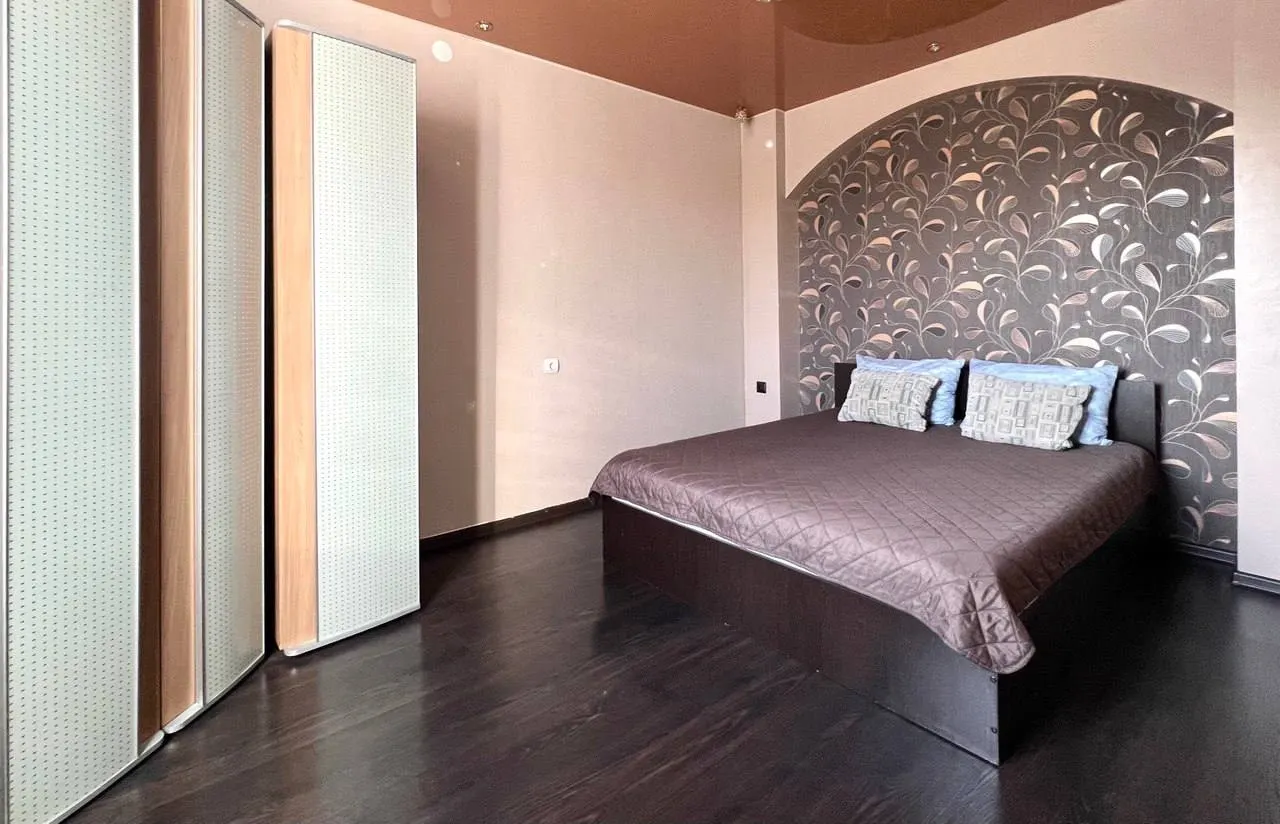
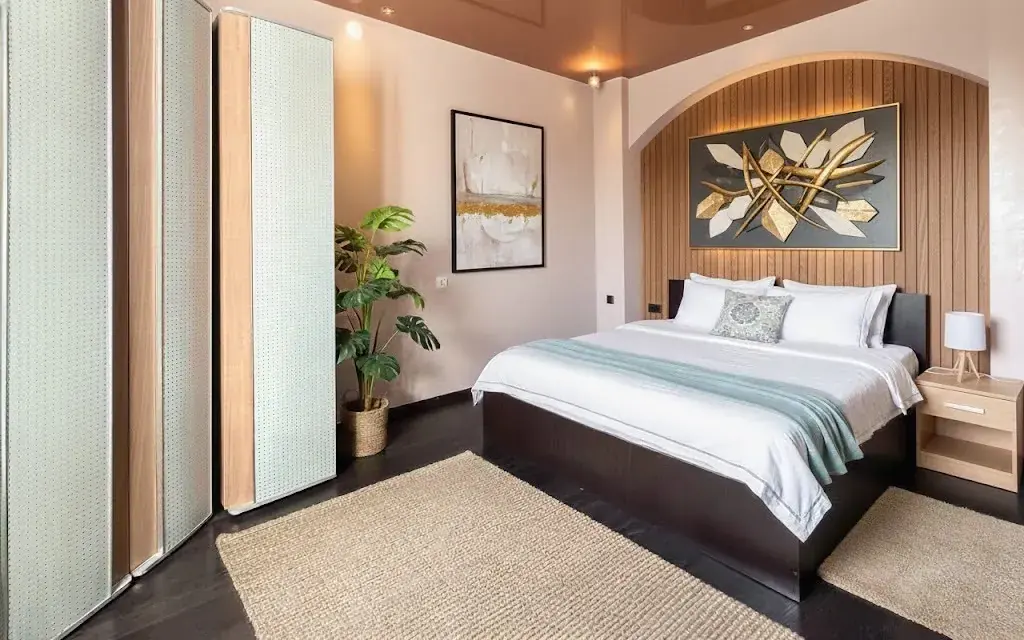
The dark patterned wall was replaced with wooden panels. A side table, rug and decor were added. The result proposes a different interior.

Bedroom with a dark botanical-patterned wall behind the bed
Original photograph
Proposed bedroom redesign with wooden wall panels, pictures and light textiles
Demonstration visualization

Check: Do not present proposed finishes as existing ones. The image does not verify panel materials, installation methods or renovation feasibility.

These are demonstration images, not verified customer outcomes. Generation time, cost and sales impact have not been established for these pairs.

What is virtual staging?

Virtual staging adds furniture and decor to a photograph of a room. It illustrates a possible arrangement; the physical property remains unchanged.

An empty room can be explored as a bedroom, living room or workspace. A furnished room may call for styling or another editing task. Replacing finishes is a redesign task and should be distinguished from showing the property as it is.

How to furnish a room photo

Prepare the original

Choose a clear photograph showing the floor, walls, windows and doors. Keep a plan or measurements to check scale.

Choose the task

Start with furnishing for an empty room. Specify its purpose and the features that should stay in place.

Compare and save

Check openings, finishes, walking space and the view outside against the original. Save only results that meet your requirements.

Choose the right preparation method

A photo visualization and preparing a property for an in-person viewing serve different purposes.

CriterionAI staging in ProgonPhysical stagingManual visualization
What changesThe room imageThe actual property furnishingThe image, following a design brief
What you needA photograph and a selected taskProperty access and a work planAn original, brief and references
How to estimate costOperation usage and additional attemptsWork, furniture and logistics estimateScope of work and revisions
Dimensions and structureCheck against the original and measurementsCheck at the propertyDepend on the input and brief
Progon payment optionsOne-time packs or a subscriptionAgreed with the providerAgreed with the provider

Start with one photograph

In your browser

Upload a photograph and select a suitable operation.

Subscription optional

One-time packs are available; see pricing for current terms.

Review the result

Compare the original and visualization before using it.

Free trial

See the pricing page for current starter-run terms.

Try an idea on your room

Start with one photograph. Review the operation usage before starting and compare the result with the original.

Virtual furnishing questions

Can I furnish an empty apartment in photos?

You can create options for individual room photographs. These are visual concepts: furniture scale, walking space and whether an arrangement fits must be checked against measurements.

Can I use a photograph of a furnished room?

Choose a task such as styling, lighting or redesign. If the existing furnishing must remain unchanged, review each item after generation.

How much does virtual staging in Progon cost?

Usage depends on the operation and additional attempts. One-time packs and PRO/BUSINESS subscriptions are available; a subscription is optional. See the pricing page for current prices and trial terms.

Are windows, walls and the view outside guaranteed to stay unchanged?

No. The model can change important details. Compare the output with the original and reject results that misrepresent the room.

Can several views show identical furniture?

Consistency across individual results is not guaranteed. Compare the shape, colour and position of objects across every image. An accurate room model requires measurements and separate design work.

Does this replace a design project or a 3D floor plan?

No. A photograph does not automatically provide verified geometry, construction drawings, exact furniture dimensions or a renovation estimate.

Can I publish the visualization on a property or rental platform?

Check the current rules for the platform and property type. Keep the original, identify added furniture and avoid presenting proposed furnishing as existing amenities. A disclosure alone does not guarantee moderation approval.